Bird/Media Automation: inbox report + the record-to-Instagram roadmap
1. What's already built (nothing new here, just confirming it's real)
Slow Motion Birds/AUTOMATION-SPEC.md, currently v2.0.0.
This already does most of the hard part of "find the good bird moment automatically": reads your Sony a7S III sessions, runs a largest-blob motion detector tuned against your real North Wing footage, and grades every clip 0–5 (V4/V5 = the trustworthy "social banger" tier, up to 60s). It writes graded Premiere sequences and public contact sheets at slowmotionbirds.com. Detection quality, not guesswork: it already caught and fixed a background-model deadlock and a false-positive band that generic "motion detection" would have missed.
Not yet built inside it: species ID (Phase 4, opt-in, gated on your own eBird life list), and any publishing step. Its own spec already says the publishing phase is draft-only with a required human approval click — that's relevant below.
2. What's new today (built and run live, zero risk)
/Volumes/media/_inbox (where the Osmo Pocket 4, Pocket 4 Pro, and a7S III FTP dumps land), groups files by device + real capture date (read from each file's embedded metadata, not just the transfer timestamp), and flags whether a matching session folder already exists in Bird Media. Read-only: it never moves, renames, or deletes anything. Ran once tonight against the live inbox, results below.
3. Right now, sitting in _inbox
| Device / date | Size | What it probably is | Status | Suggested routing | |
|---|---|---|---|---|---|
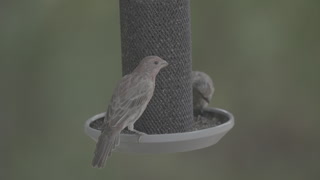 |
a7siii 2026-09-02 | 15 files, 24.3 GB | Bird feeder (tripod camera, every prior a7S III session has been this) | still transferring | already named: "2026 09 02 Hummingbird Slow Motion A7s iii" |
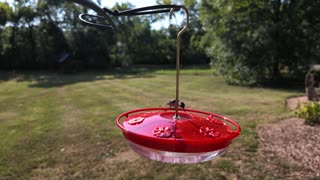 |
pocket4 2026-09-02 | 10 files, 4.1 GB | Handheld Osmo — could be more bird footage or something else from today | ready | matches today's a7S III session name, unverified |
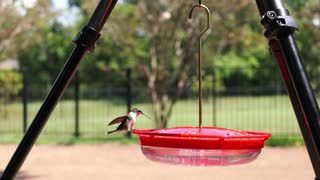 |
pocket4p 2026-08-31 | 3 files, 3.1 GB | Handheld Osmo Pocket 4 Pro | ready | matches "2026 08 31 Hummingbird super slow motion" |
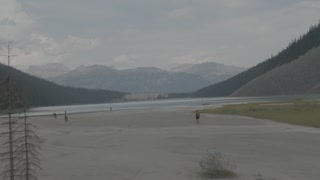 |
pocket4 2026-08-15 | 30 files, 14.9 GB | Unknown — largest untouched batch | ready | NEEDS NAMING — no session exists for this date yet |
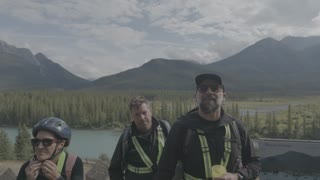 |
pocket4 2026-08-14 | 18 files, 6.4 GB | Unknown | ready | NEEDS NAMING |
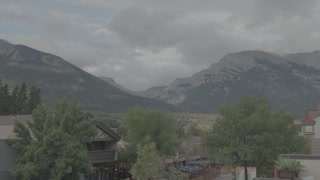 |
pocket4 2026-08-13 | 2 files, 230 MB | Unknown | ready | NEEDS NAMING |
 |
pocket4 2026-08-08 | 8 files, 2.7 GB | Unknown | ready | NEEDS NAMING |
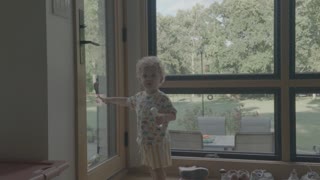 |
pocket4 2026-08-03 | 1 file, 424 MB | Unknown | ready | NEEDS NAMING |
 |
pocket4 2026-08-02 | 3 files, 1.3 GB | Unknown | ready | NEEDS NAMING |
 |
pocket4 2026-07-29 | 1 file, 222 MB | Unknown — oldest untouched batch, 35 days old | ready | NEEDS NAMING |
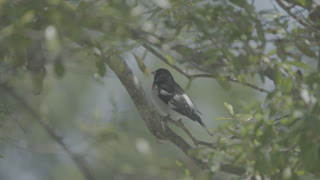 |
"dupes removed" folder 2026-05-03 | 8 files, 4.4 GB | Quarantined duplicates from the 8/18 NAS cleanup, already exists in Bird Media | stale | safe to delete once you confirm — the session already exists |
Every "pocket4" thumbnail above came straight off the actual clip — open the report and look before trusting the label. Seven of these Osmo batches (7/29 through 8/15, ~26 GB) have been sitting un-named for 2–5 weeks; that backlog is real and was invisible until tonight.
4. The kid-content question: your own answer is right
There's no reliable way for anything automated to know a clip is "the weekend at Granny's." No metadata says that, and a vision model guessing from pixels will get names wrong in ways that are more annoying to fix than typing a real one. That part stays yours.
What automation can do, and what the table above already proves works: land everything in dated, device-grouped batches with a temp label and a thumbnail contact sheet, then ping you when a batch is ready. You open a link, look at 3–5 thumbnails, type the real name once. That's "the gig" — same pattern the bird pipeline already uses for its own contact sheets, just pointed at the Osmo folders too.
5. The bigger ask: record → auto-clip → graded → posted to Instagram
Breaking down what you described into stages, and marking which ones are already free/built, which are new build (no cost), and which need a real decision from you.
.cube file (Premiere: export it from your color layer, or I can walk you through the one menu). No new tool, no cost.6. Instagram posting: what it actually costs (checked live tonight)
| Path | What it is | Cost | Time to live |
|---|---|---|---|
| Meta Graph API, direct | Your own Meta developer app, calling Instagram's Content Publishing API yourself | $0/mo | 2–4 weeks (Meta app review required for the publish permission, per their current 2026 docs) |
| Self-hosted Postiz (open source, would run on Calvin) | Wraps the Graph API; rides Postiz's own already-approved app, so no Meta review wait for you | $0/mo recurring | likely under a day — just OAuth-connect your IG account |
| Upload-Post (cloud) | Same idea, hosted for you | $24/mo (unlimited), 10 free/mo | same day |
| Postiz Cloud | Hosted version of the same open-source tool | $29/mo | same day |
| Ayrshare | The heavyweight option, built for dev teams | $149/mo minimum | same day, overkill here |
Every path needs your Instagram to be a Professional (Business or Creator) account. Reels posted via any API are capped at 90 seconds and 25 posts/24h account-wide — both comfortably above what a daily bird teaser needs. Prices found live tonight; worth a second glance before committing since these move.
7. Decisions actually worth your yes/no
Recommend: yes for the exact-match rows only, nothing ambiguous moves itself.